Put your notch
to work.
Eclipse turns the black bar around your camera into a live surface. Approve your coding agent, drop files, scrub music, join the next meeting. Then it shrinks back into the notch.
Animation: Claude Code, running in Terminal, asks to run “swift test”. The request drops out of the MacBook notch with Deny and Allow buttons. Allow is pressed, the notch folds back, and a moment later it shows that the task is done. Then music and a new sale appear briefly around the notch.
Agents in the notch
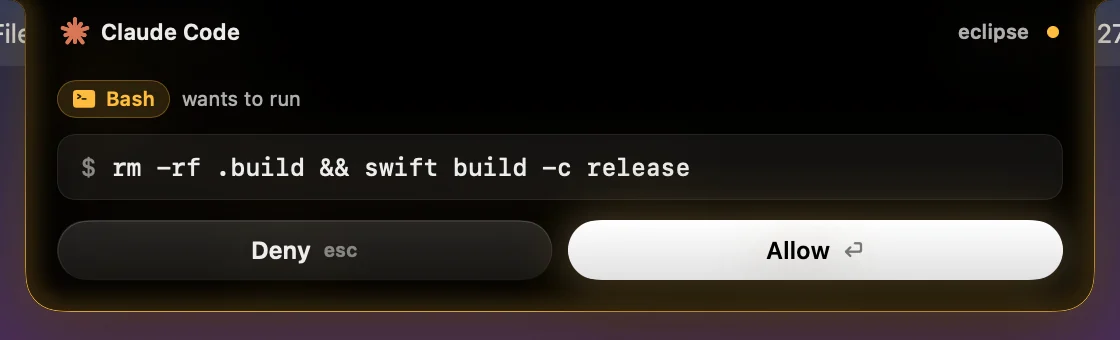
Say yes to Claude Code without leaving what you're doing.
Your agent is three windows away, waiting on a permission prompt you haven't seen. Eclipse brings the question to the one place your eyes always cross: the top of the screen.
- Requests drop out of the notch. See the tool and the exact command before you decide.
- Allow or deny in one click (or press return or esc), then get straight back to work. "Always allow" is one more click in the Agents panel. Eclipse never approves anything on its own.
- Live status for every session. Running, waiting on you, or done, with a small moment in the notch when Claude finishes.
- Opt-in and local-only. Try it for one session with
claude --settingswithout touching your config, or install the hooks: Eclipse shows the exact change first and backs up your settings. Requests travel over a Unix socket on your Mac, never the network.
If Eclipse isn't running, or nobody answers in time, Claude asks in the terminal as usual. Uninstalling Eclipse removes its hooks. Claude Code first; more agents are on the way.
Everything else
The things you keep checking, one hover away.
Hover the notch, or press ⌥⌘E. A card grows out of the camera housing with the tools you picked. Move away and it's gone.
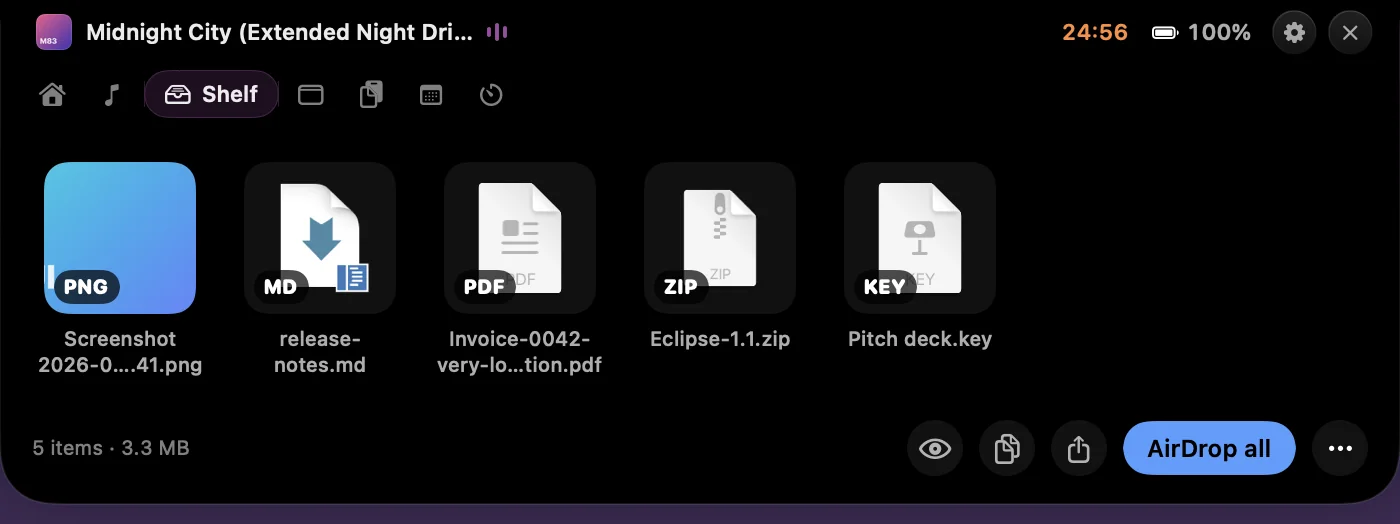
Shelf
Drag files onto the notch to park them. Drag them back out anywhere, or AirDrop the lot.
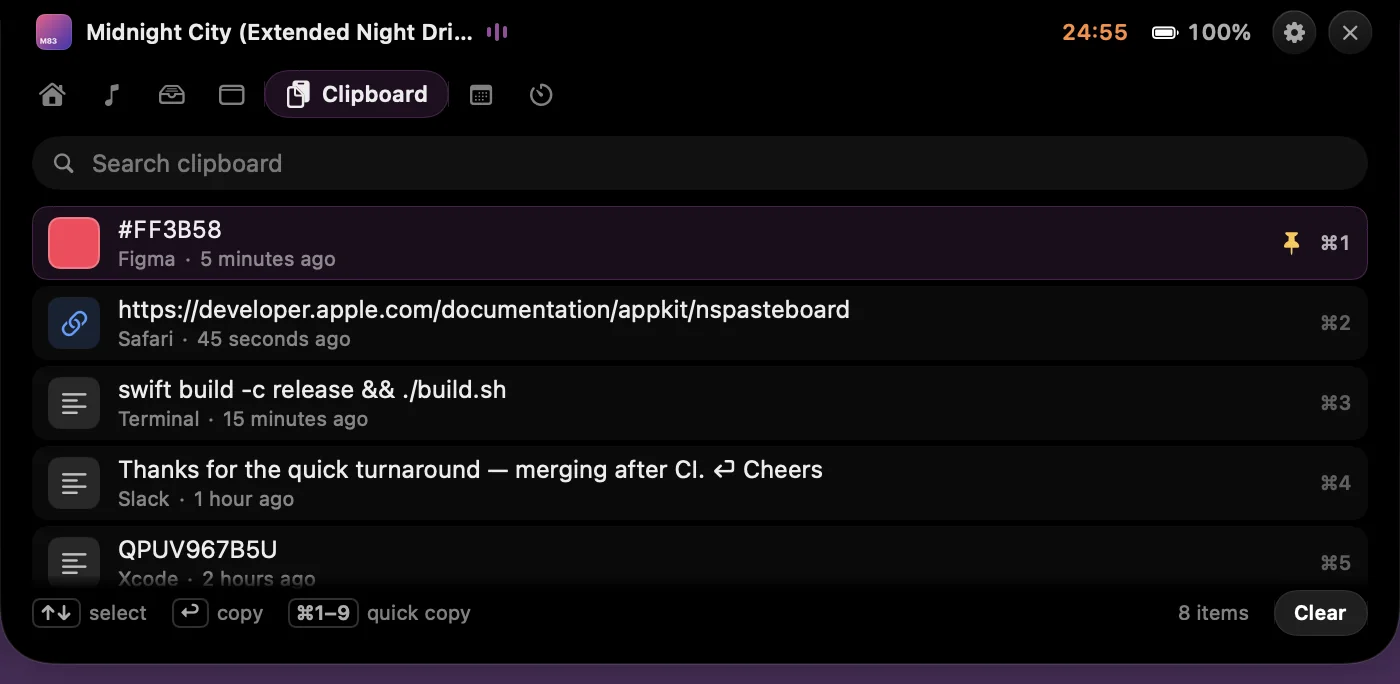
Clipboard history
Search everything you copied, with colour swatches and links. Password-manager items are never stored.
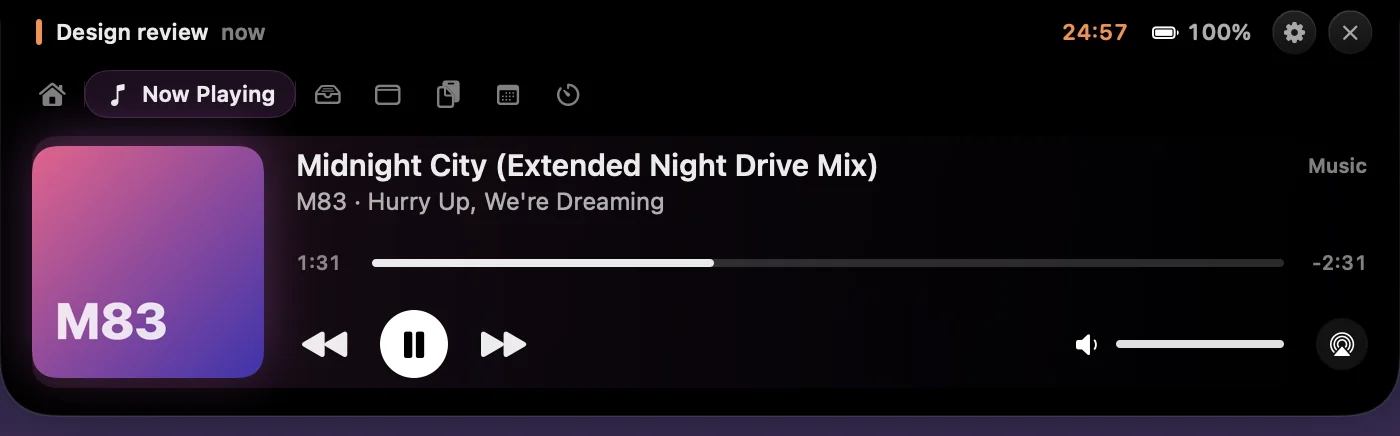
Now Playing
Artwork, scrubbing and controls. The notch takes on the colour of the album. Music and Spotify out of the box; switch on "Now Playing from any app" for everything else, YouTube in Safari included.
Live around the notch
Music, timers and a dot-matrix ticker peek out beside the camera while the card is closed, sized to the free space in your menu bar.


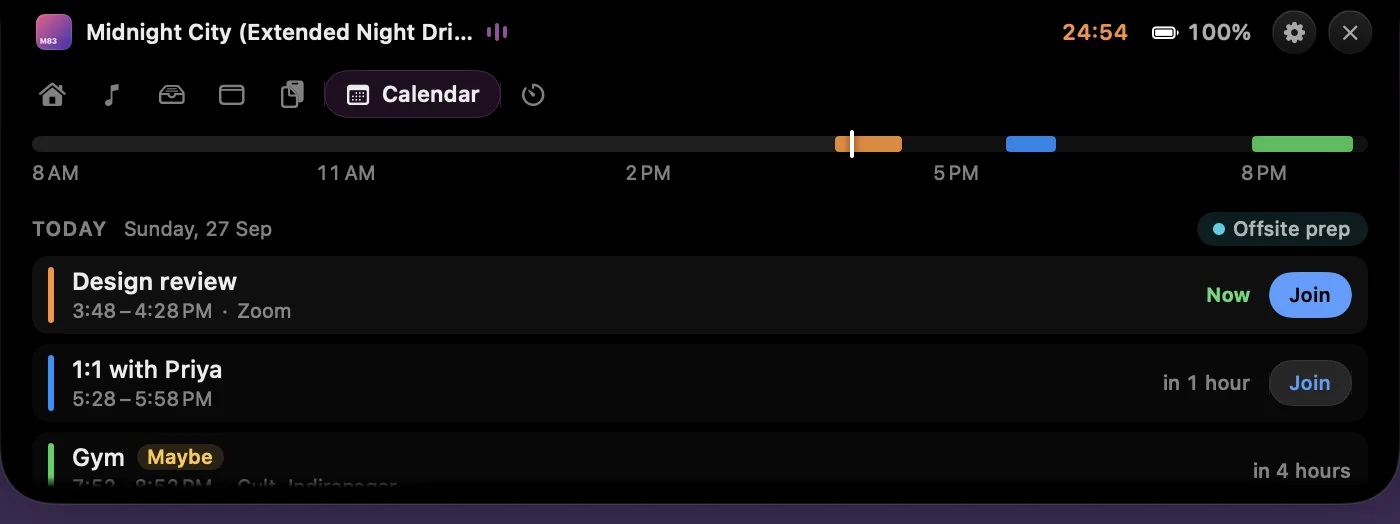
Calendar
Today and tomorrow, with a Join button for Zoom, Meet, Teams and Webex.
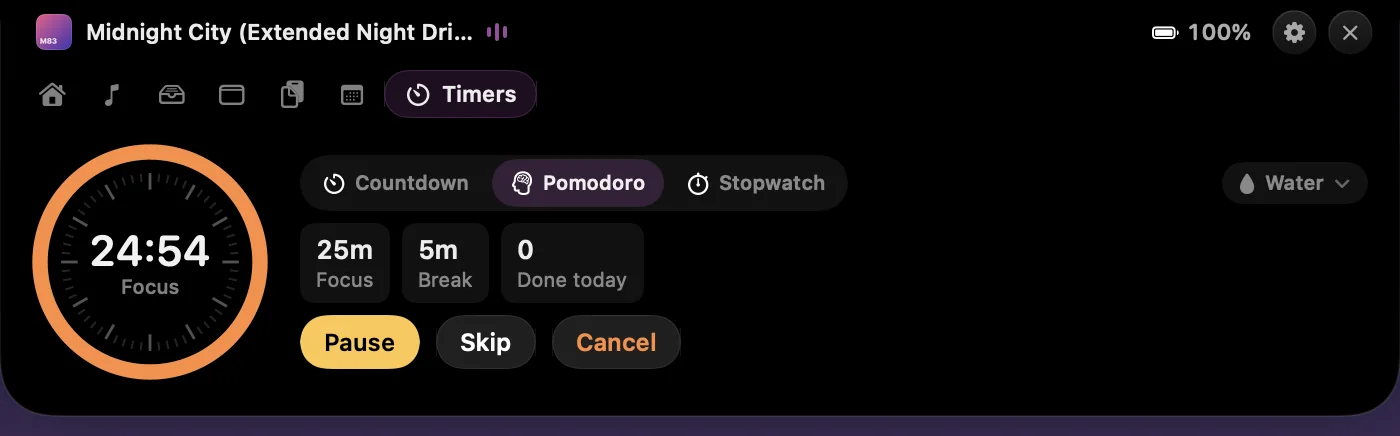
Timers
Countdowns, Pomodoro, stopwatch. The running timer sits beside the notch.
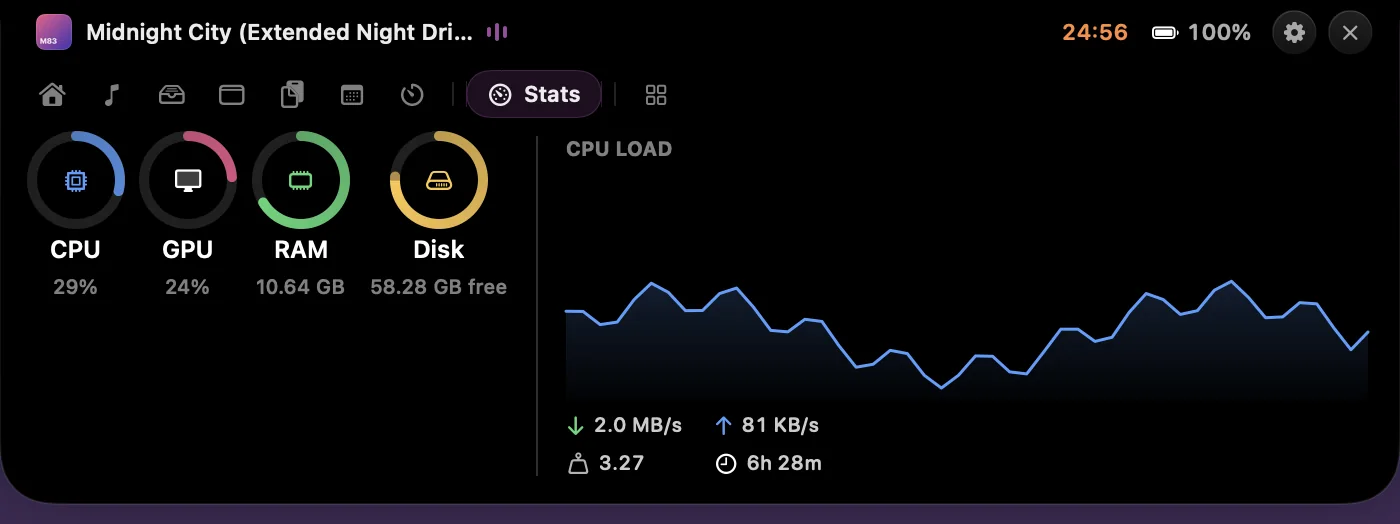
System stats
CPU, GPU, memory, disk and network. Sampled only while you look.
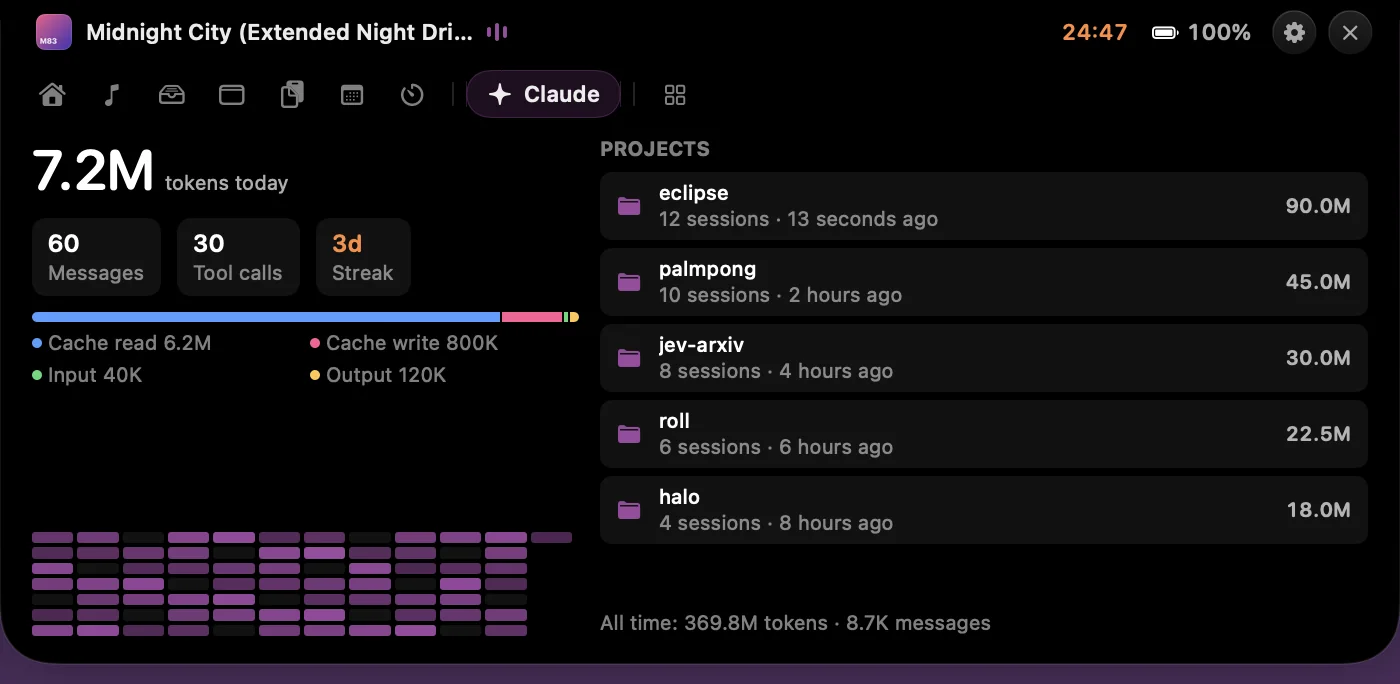
Claude usage
Tokens today, sessions per project, streaks and a 12-week heatmap, read from your local transcripts.
Message ticker
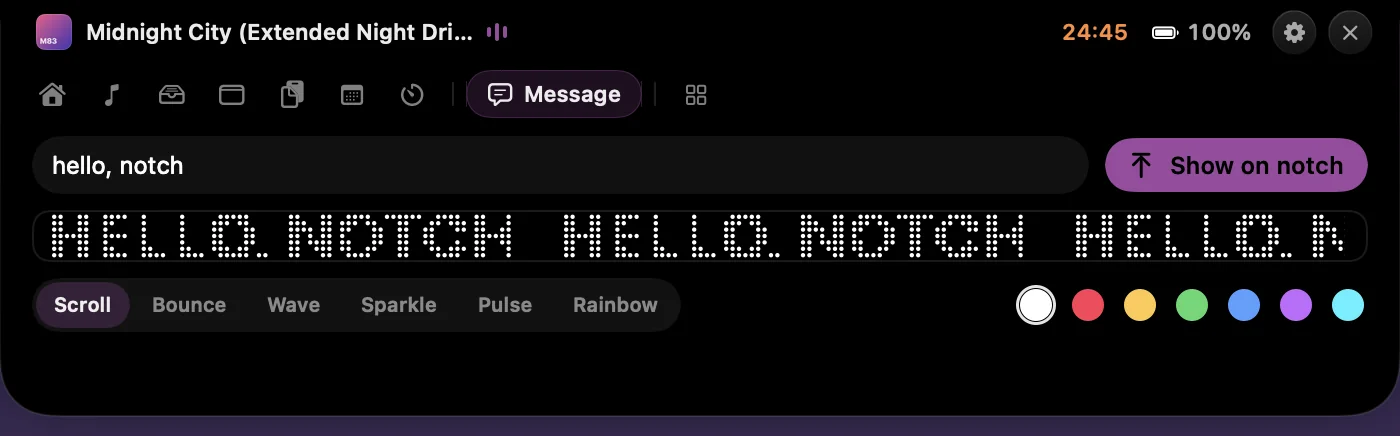
Type anything and it scrolls across the closed notch in dot-matrix. Six styles, any script, emoji too.
- Home & launcher
- Weather
- Notes
- Ambient sounds
- Screen Time
- Revenue (Stripe, Polar, Dodo)
- Emoji
- Unit converter
- 4 themes
Every tool has an off switch. Turn one off and it disappears.
Built for macOS 27
Out of the way until you want it.
Notch-sized when idle
Closed, it's the camera housing. When music or a timer peeks out, the wings are sized to the free menu bar space, tuck away when you reach for the menu bar, and let every click through.
Asks for nothing at launch
No Screen Recording, and Accessibility is never required. Calendar or location prompts appear only when you open the tool that needs them.
Gets out of full screen
Watching a film or presenting? Eclipse hides while an app owns the display.
Updates itself
Signed, notarized by Apple, and updated in place. No re-downloading, no "is this still maintained?"
Motion that feels native
Springs tuned for each move: it opens with a hint of give and closes without a wobble.
No notch? Still works
On external displays and notchless Macs, Eclipse draws its own housing at the top of the screen.
How it compares
Honest comparison, September 2026.
Checked against each app's own site, repo or changelog on 27 September 2026. Spot something out of date? Tell us and we'll fix it.
| Feature | Eclipse | NotchNook | Boring Notch | Alcove | NotchOwl |
|---|---|---|---|---|---|
| Price | Free | Was $25; no longer sold | Free (donations) | $14.99 | $4.90 |
| Status | Active; 1.1 built for macOS 27 | Site offline; Homebrew cask disabled 19 Sep 2026 | Last stable Nov 2025; 2.8 in RC | Active | Launched 16 Sep 2026 |
| Approve AI agent requests | Yes | No | No | No | No |
| File shelf + AirDrop | Yes | Yes | Yes | No | No |
| Clipboard history | Yes | No | No | No | No |
| Calendar with Join | Yes | Yes | Yes | Yes | Calendar |
| Timers / Pomodoro | Yes | Yes | No | – | Focus timers |
| System stats | Yes | No | No | No | No |
| Now Playing sources | Any app (opt-in) | – | Any app | Music, Spotify (reported) | No |
| Needs Accessibility permission | No (optional) | Some features | For the HUD | – | No |
| Open source | No | No | Yes (GPL-3.0) | No | No |
Eclipse's optional Accessibility switch only sizes the closed notch exactly next to long menus. “–” means we couldn't verify it. NotchOwl “No” means the feature isn't listed on its site. Boring Notch is a genuinely good free, open-source choice, and Alcove's animation is lovely. Moving over from NotchNook? Read the NotchNook alternative guide.
Privacy
Your notch. Not our data.
Eclipse has no account, no analytics and no telemetry. What you copy, shelve, write and play stays on your Mac.
- Stays on your MacClipboard, notes, shelf files, screen time, Claude usage, agent requests
- Leaves only when you use itWeather (Open-Meteo), revenue (the provider you connect, read-only key in your Keychain), update checks
- What this site keepsYour email, when you signed up, rough country, browser, which form, download count. Nothing else, never sold.
Eclipse 1.1
Free for macOS
What's new
- Free. No license, no account, no trial
- Approve Claude Code requests from the notch
- Built for macOS 27 Golden Gate
- Automatic updates
Get Eclipse.
Free, forever. One email, then the download starts right away.
- Open
Eclipse.dmgand drag Eclipse to Applications. - Open it. Nothing pops up, and that's on purpose.
- Move your pointer to the notch.
Questions
Is it really free? What's the catch?
Yes, free forever: every tool, every theme, every update. No trial, no licence key, no ads. The only thing we ask for is an email, so we can tell you about updates and anything else we build. Unsubscribe anytime.
Why do you want my email?
It's how a free app keeps in touch with the people who use it. We send release notes and the occasional launch. We never sell or share the list. The app itself never asks for your email and works without an account.
What do I need to run it?
Any Mac, Apple silicon or Intel, running macOS 14 Sonoma or later, including macOS 27 Golden Gate. A notch is optional: on other displays Eclipse draws its own housing.
How does approving Claude Code from the notch work?
Turn on Agents in Settings. Eclipse shows you the exact change it will make to Claude Code's settings, backs them up, then installs a small hook. When Claude wants permission to use a tool, the request drops out of the notch with the command: allow it, deny it, or always allow it. Everything travels over a Unix socket on your Mac, never the network, and Eclipse never approves anything on its own. If Eclipse isn't running, Claude asks in the terminal as usual.
Will it cover my menu bar?
It's built not to. Closed, Eclipse is the camera housing, space you couldn't click anyway. Anything that peeks out beside it (artwork, a timer) is sized to the free menu bar space, retracts when you head for a menu, and never takes a click. For exact sizing next to apps with long menus, you can allow Accessibility in Settings › Appearance; it's optional.
Does it drain the battery?
No. Eclipse samples stats, weather and calendar only while that tool is on screen, and pauses everything else. With the card closed it uses well under 1% CPU and about 18 MB of memory.1
I used NotchNook. Is this a replacement?
For most people, yes: shelf, AirDrop, calendar, Now Playing and live activities are all here, plus clipboard history, timers, stats and agent approvals. Here's a side-by-side.
How do I uninstall it?
Open Settings › About and click Uninstall Eclipse. It removes the login item, Eclipse's data and settings, any API keys it saved and its Claude Code hooks, then moves the app to the Trash. By hand: turn off agent hooks in Settings › Agents if you installed them, quit Eclipse, drag it to the Trash, and delete ~/Library/Application Support/Eclipse and ~/Library/Preferences/dev.shrithan.eclipse.plist.